Why Does Midscene Split Locate and Action into Two Steps?

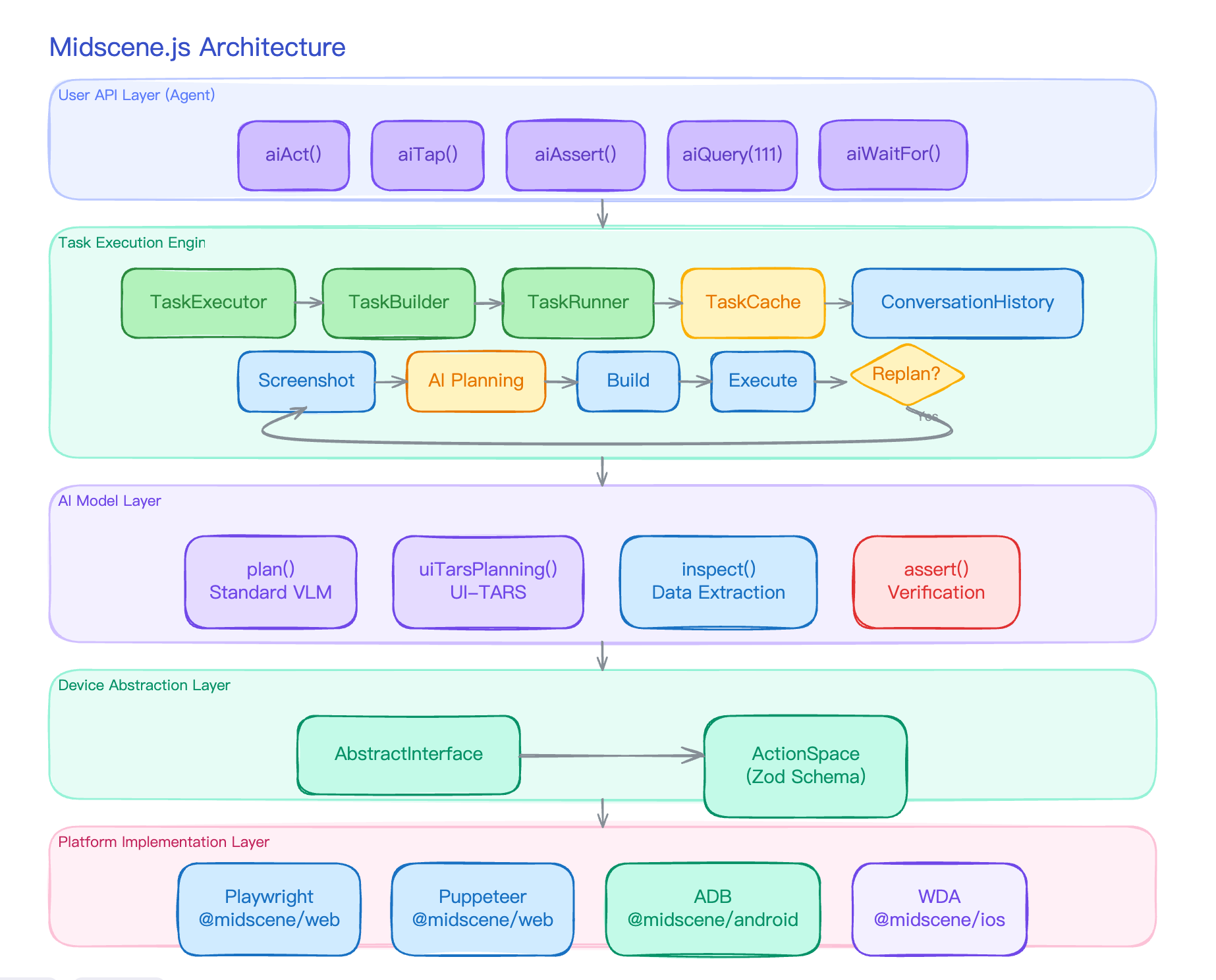
The previous post, What Actually Happens Inside a Single Midscene aiAct Call?, walked through the plan-execute loop inside aiAct, but one stop was deliberately left unopened — “finding the element”.

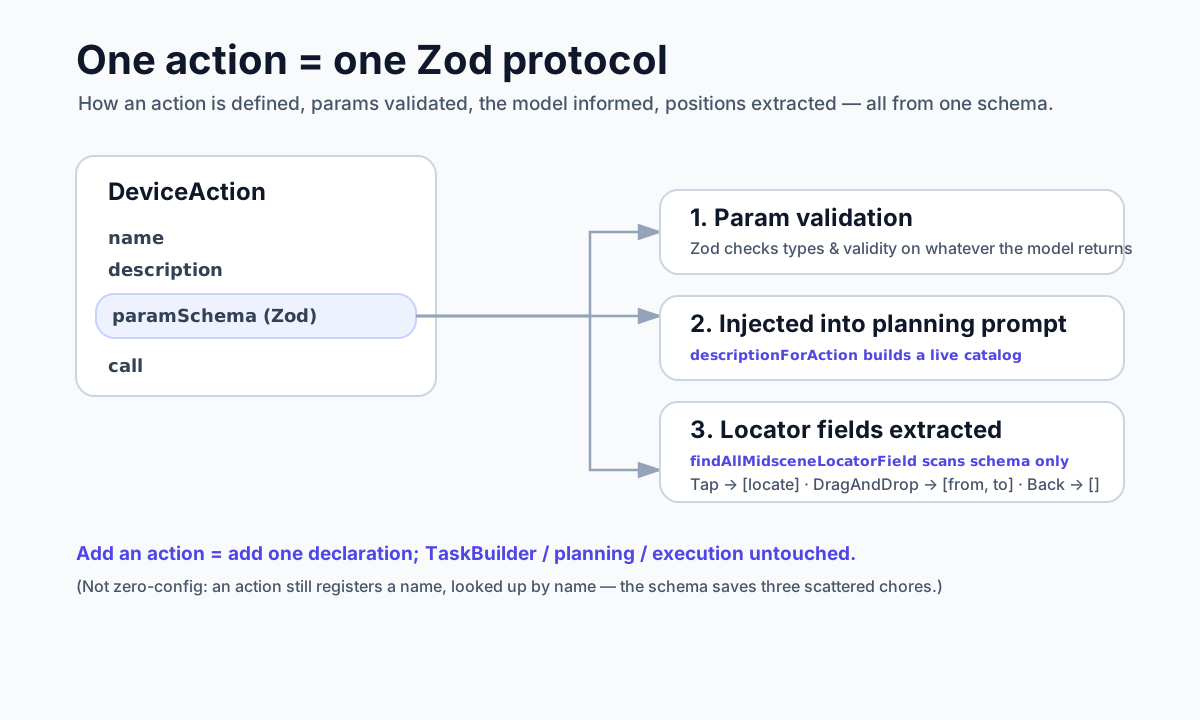
That stop is arguably the most technically distinctive part of Midscene. Most vision Agents either trust the coordinates the AI gives them, or fire one more AI request to refine the location. Midscene takes a different path: separate the locate step out, and try four fallback layers in order from cheapest to most expensive.

This post is about that.

Read more

What Actually Happens Inside a Single Midscene aiAct Call?

The previous post, Why Does Midscene’s UI Agent Need to See the Screen?, explained why Midscene puts “look at the screenshot” at the very front of every UI action. Right after that explanation, I usually get the next question from coworkers:

“OK, but what actually runs inside aiAct? When I write a single agent.aiAct('log in and place an order'), what really happens? Is it just one model call?”

It is not one call. It is a loop with feedback.

This post takes that loop apart: how the screenshot is grabbed, what the AI returns, when the loop stops, and how context flows across rounds.

Midscene core architecture

Read more

Why Does Midscene's UI Agent Need to See the Screen?

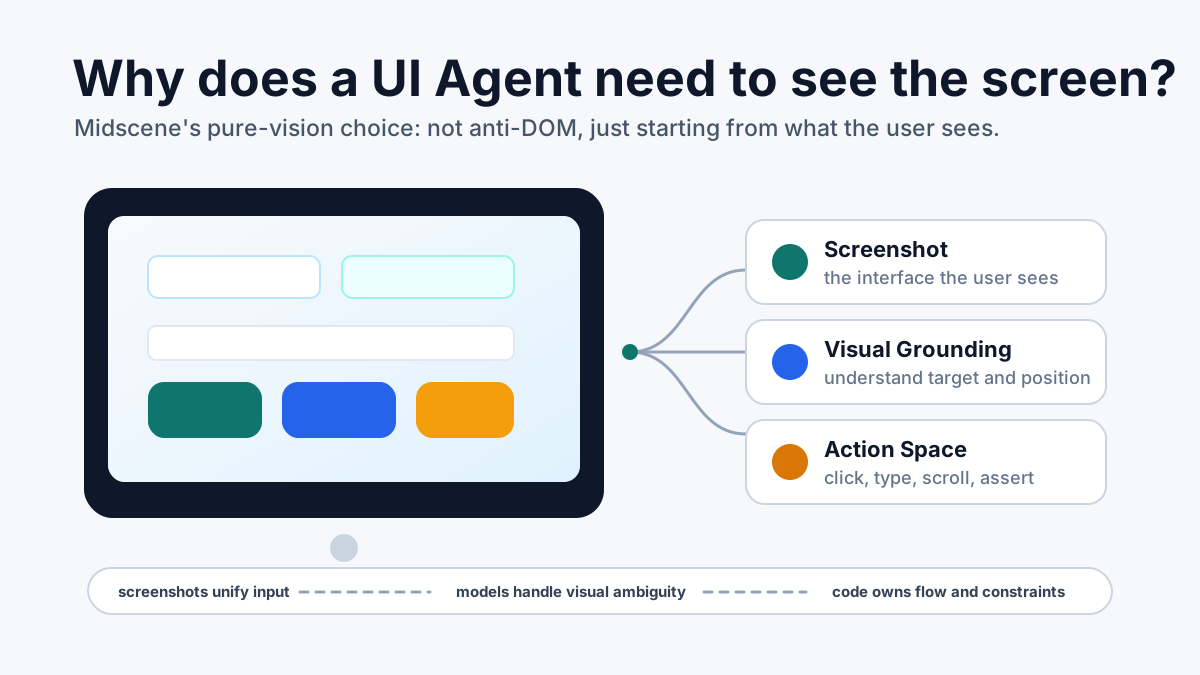
While working on Midscene, I often run into the same question: why does a UI Agent need screenshots? Why not keep using DOM, selectors, XPath, accessibility trees, and the other things traditional automation has already made mature?

It is a fair question. For more than a decade, UI automation has mostly grown around structured interface data. But if we are not trying to build just a smarter Web testing framework, and instead want a UI Agent that can operate Web pages, mobile apps, desktop apps, Canvas, and custom devices, the default input has to shift a little: see the screen first, then decide what to do.

A UI Agent should see the screen first

Read more

Best Practices for Git Workflows in Monorepo

No single Git workflow is a silver bullet. The right Git workflow often depends on the project’s code scale, number of collaborators, and use cases. This article starts with the Feature branch workflow suitable for small Monorepos, then covers the Trunk-based workflow for medium-to-large Monorepos, and provides selection criteria for reference. Hopefully, you’ll find the right Git workflow for your Monorepo!

Read more

Monitoring and Alerting for CLI Tools

Over five years of work experience across three jobs, I’ve developed and maintained frontend CLI tools at every single one of them. While monitoring and alerting for frontend pages and server-side applications is taken for granted, these tools need it too. This article covers everything from error handling to reporting and troubleshooting.

Read more