Registering Your Beloved npm Packages on a New Registry
A guide to batch-migrating npm packages from one npm registry to another.
Background
It all started with the fact that our company had two npm registries — one called the Hangzhou registry and another called the Beijing registry. They coexisted peacefully until one day we needed to depend on packages from the other registry, and neither could pull packages from the other. The Hangzhou registry had implemented a workaround: when a requested package wasn’t found locally, it would attempt to fetch it from the Beijing registry, seemingly solving the problem. However, this only addressed our dependency on Beijing registry packages. We had a large number of packages that needed to be shared with other departments, so we decided to switch to the Beijing registry, which had more users. Our team was in the process of collectively migrating to the Beijing registry, but we frequently encountered the following issues:
After cloning a project and running
npm install, some packages would be reported as missing. You’d then check the current registry, switch to the other one, and runnpm installagain.Legacy projects used the Hangzhou registry but depended on Beijing registry packages. Although the Hangzhou registry would attempt to fetch from the Beijing registry when a package wasn’t found, this mechanism was unreliable and sometimes blocked service builds. The dependency issue had to be resolved before the project could be rebuilt.
New projects used the Beijing registry but depended on Hangzhou registry packages. This scenario was particularly tricky — the Beijing registry had no mechanism to fetch from the Hangzhou registry. The Hangzhou packages had to be republished on the Beijing registry. Manual publishing would be tedious and error-prone for packages with many versions; publishing only some versions would cause inconsistencies between registries, making unpublished versions unavailable.
When publishing a package to only the Hangzhou registry, projects using the Beijing registry might not get the new version, and vice versa.
What to do?
Solution Approach
To accelerate the end of this transition period, we needed to fully switch to the Beijing registry. Two problems needed to be solved:
All versions of our team’s Hangzhou registry packages needed to be republished on the Beijing registry, along with syncing dist-tags.
Team members needed to be notified to switch their projects to the Beijing registry and stop using the Hangzhou registry. Any packages missing from the Beijing registry should be reported for syncing.
So how many packages did our team have? There were 49 known packages under the @kd scope, and even more under the @dd scope — about 50 collected so far. Assuming an average of 10 versions per package, we had roughly a thousand versions to republish. Manual work was out of the question — we needed an automated batch sync solution.
Let’s see how it was done!
Implementation
As a frontend developer, Node.js was the natural choice for writing scripts or CLI tools to handle this kind of repetitive work. Let’s first review how to publish an npm package: simply navigate to the package’s root directory and run npm publish. So all we needed was a way to obtain the code for every version of every package. Is there such a way?
Yes, there is! Recall what happens when you inspect an npm package using npm view:
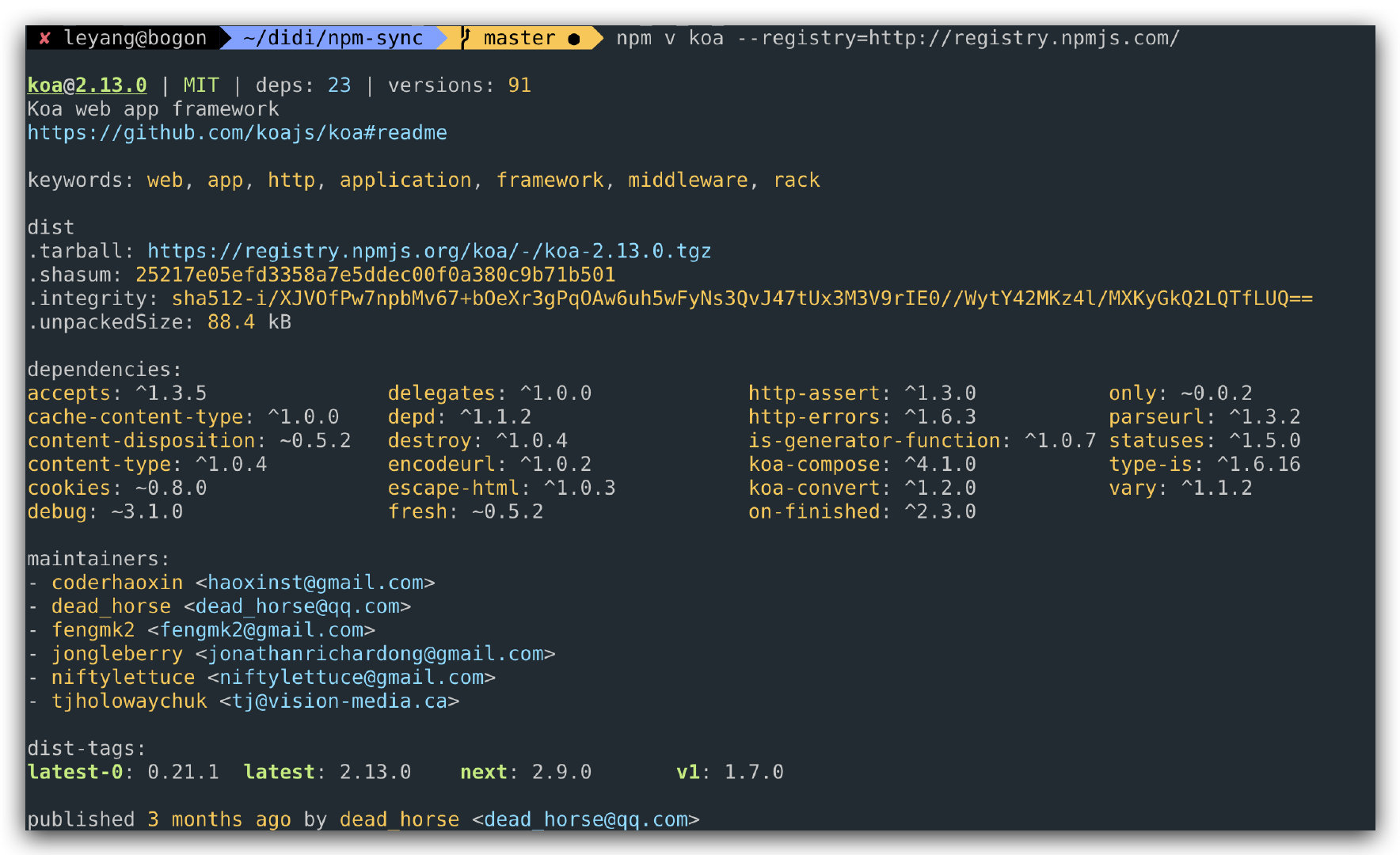
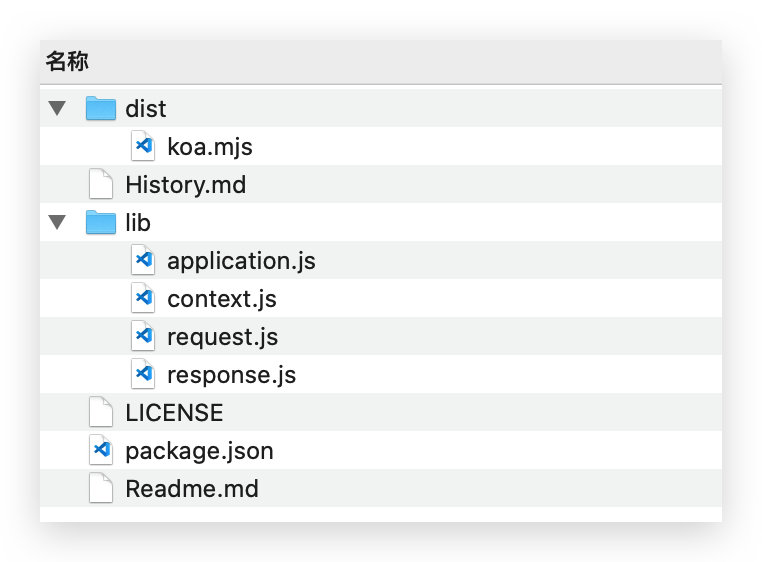
You’ll notice .tarball: https://registry.npmjs.org/koa/-/koa-2.13.0.tgz — this tarball contains the latest version 2.13.0 of the koa package. After downloading and extracting it, we find exactly what we need — just enter the directory and run npm publish:
Can we get the tarball for a specific version? Of course — use npm view koa@1.0.0 to view a specific version. But wait, how do we know which versions exist? Don’t worry — try npm view koa --json, and the answer is in the versions field:
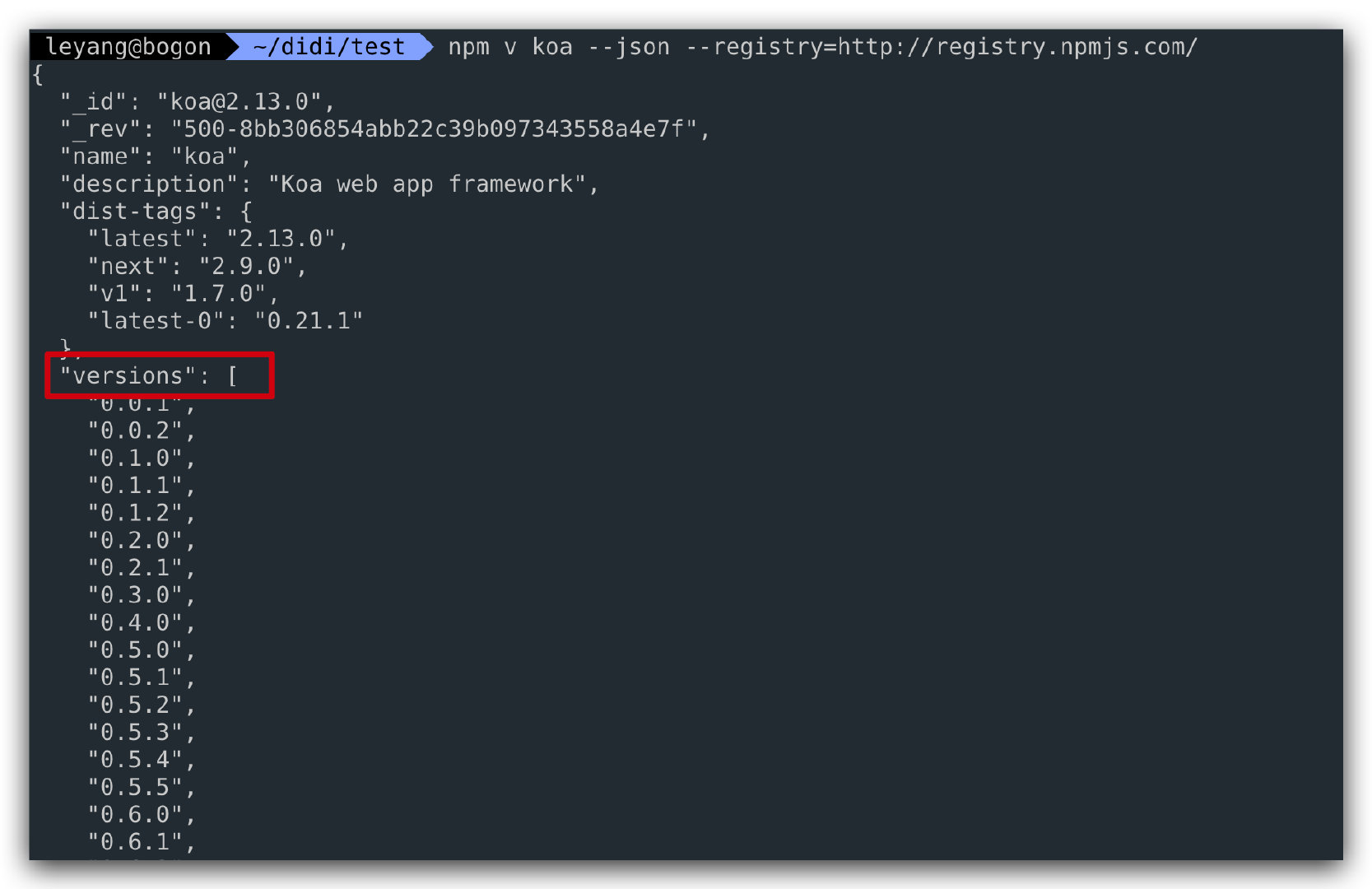
Additionally, the dist-tags field also needs to be synced (tags are not synced by default, as the source registry’s tags might overwrite the target registry’s tags, and the source’s tags might not be the most up-to-date).
With everything in place, all that’s left is a programmer! The core logic is: given a package name, download all version tarballs, extract them, enter each directory, and run npm publish:
1 | // Get all versions of the package |
Be mindful of concurrency — too many parallel requests will cause errors from the npm registry (likely getting rate-limited).
How to Use
Originally only a script, I’ve since turned it into a CLI tool for everyone’s convenience (so people stop asking me to sync packages). Here’s how to use it:
This is an internal tool and not publicly available, but you can implement your own.
Install the CLI
npm i @dd/npm-sync -g
Sync Versions
npm-sync packageName
Sync Versions and Tags
npm-sync packageName --syncTag=true
More Usage Options
npm-sync --help
TODOs
Contributions welcome!
- Support packages that require a pre-publish build step
- Add login pre-validation
Registering Your Beloved npm Packages on a New Registry
http://quanru.github.io/2020/09/27/Registering Your Beloved npm Packages on a New Registry